Visit the Arduino website to download the Arduino IDE version 2.x.x. Note that all versions from 2.0.4 onwards are compatible, but it is recommended to use version 2.3.0 or later for enhanced features in the Boards Manager.
Click to expand
Step 2: Install Teensy on Arduino IDE 2.x
Open the Arduino IDE.
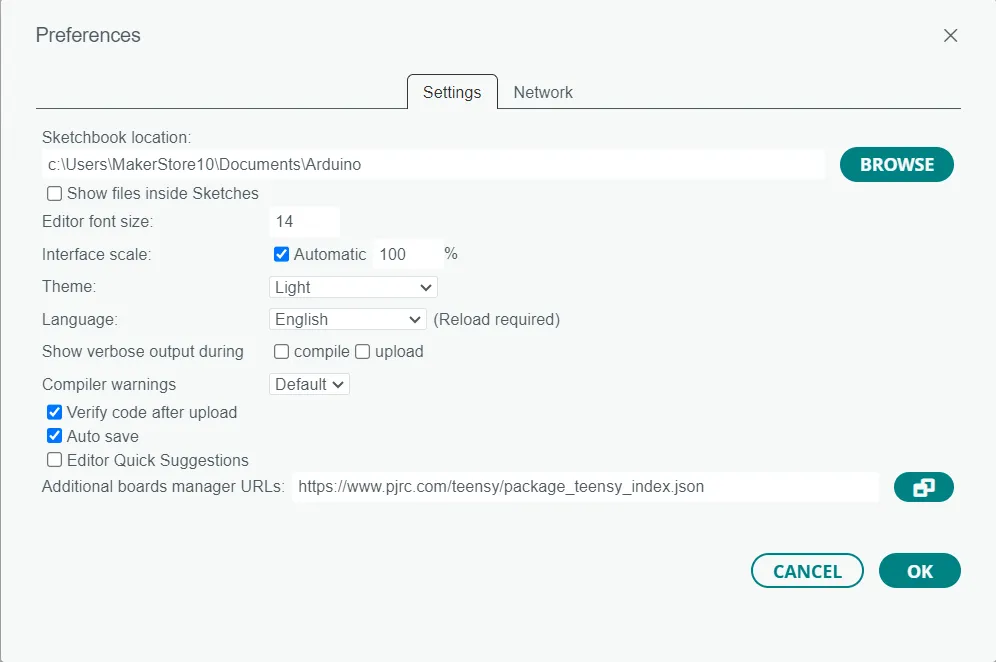
For Windows/Linux: Navigate to File > Preferences.
For MacOS: Go to Arduino IDE > Settings.
In the “Additional boards manager URLs” field, add the following link:
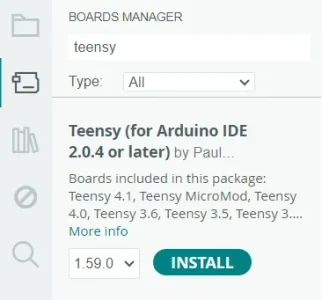
In the main Arduino IDE window, click on the board icon located on the left side.
This will open the Boards Manager.
In the search bar, type “teensy”.
Find Teensy in the search results and click “Install”.
Click to expand
Testing The Teensy:
Step 1: Loading the example
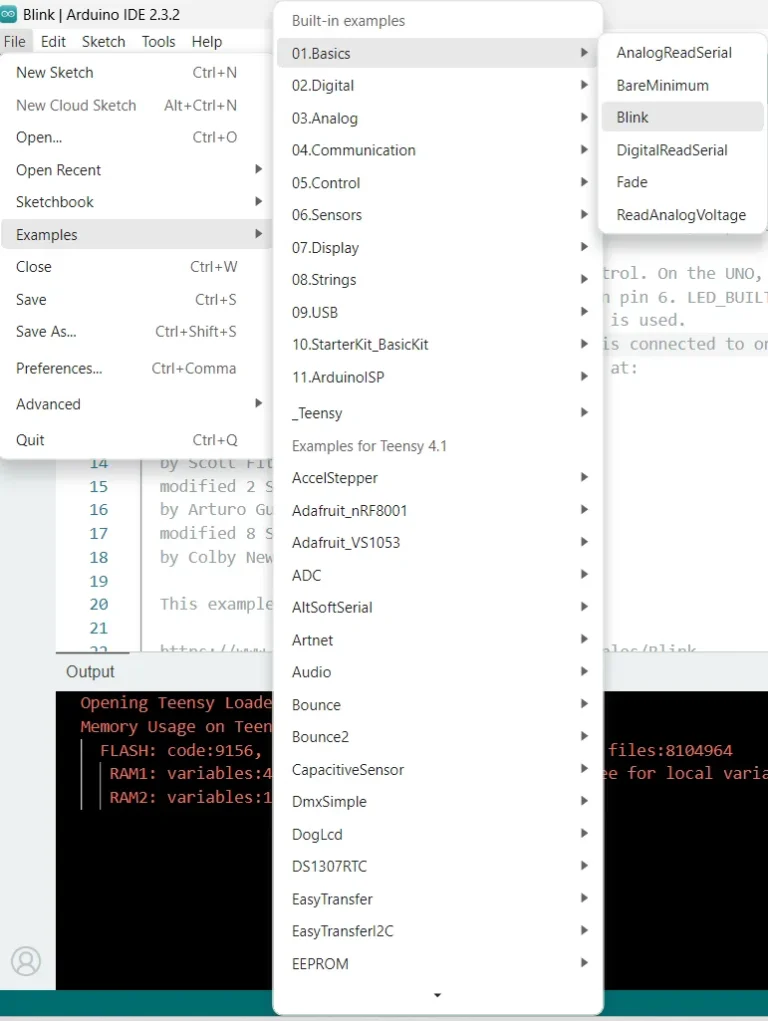
In the main Arduino IDE window, go to File > Examples > 01.Basics > Blink. A new Arduino IDE window will pop up
Click to expand
Step 2: Uploading to the teensy
Connect the teensy to the computer
In the Blink Arduino IDE window click the arrow for 'Upload'
Click to expand
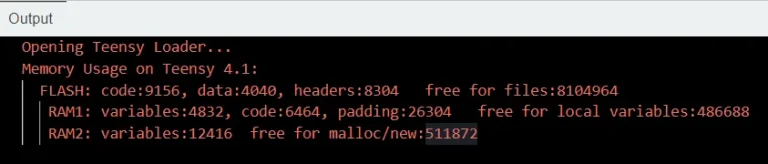
Step 3: Output
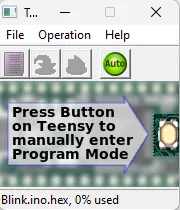
A teensy upload window should appear, and the LED on the teensy should blink periodically.
The output should indicate the memory usage of the arduino sketch, and any errors if they occured.
Click to expand
Click to expand
Troubleshooting Tips
Boards Manager URL Not Working:
Ensure there are no extra spaces before or after the URL.
Verify your internet connection.
Teensy Not Showing in Boards Manager:
Confirm that the URL was correctly added to the “Additional boards manager URLs” field.
Restart the Arduino IDE and try again.
This guide should help you smoothly set up the Arduino IDE with Teensy support. If you have any further questions or encounter issues, feel free to ask for additional assistance.
Full Blink Sketch Code:
If you are unable to access the Blink example sketch, please copy & paste the full code provided below into a new Arduino sketch.
// AUTHOR: TZ of MakerBotics
// VERSION: 1
// DATE: 2023/08/30
// PURPOSE: Blink an LED on Teensy 4.1
// License details:
// Attribution-ShareAlike 4.0 International
// CC BY-SA 4.0 Deed.
#defineLED_PIN13 // Onboard LED pin for Teensy 4.1
voidsetup() {
pinMode(LED_PIN, OUTPUT); // Set the LED pin as an output