Micro:Bit 180 Servo Rotation Tutorial
Tutorial Aim:
The aim of this tutorial is to master the skill of controlling a 9g servo using the micro:bit microcontroller and the Kitten Bot Robot:bit extension, achieving continuous 180-degree rotation in both directions. By the end of this tutorial, you will know how to control a servo using the micro:bit microcontroller and the Microsoft Makecode program.
Requirements:
This tutorial makes use of the following components. Note that the Kittenbot robot bit can be substituted for either the micro:bit I/O screw terminal shield or the I/O dupont shield but you will require a power source for the servo.
- Microsoft MakeCode for micro:bit
- Micro:bit V2.2
- Micro:bit Robot:bit Expansion Shield V2 with and 1850 battery
- 3 male to female jumper wires
- A 180 degree 9g servo
Pin Layout:
| Micro:Bit Pins: | Servo Pins: |
| GND | GND |
| 3.3V | VCC |
| S1 | OUT |
Setup:
- Connect the servo to the Robot:bit S1 pin using the Male to Female jumper wires
- Open Microsoft Makecode
- Plug in the Micro:bit to the computer via the USB cable

Code Walk Through:
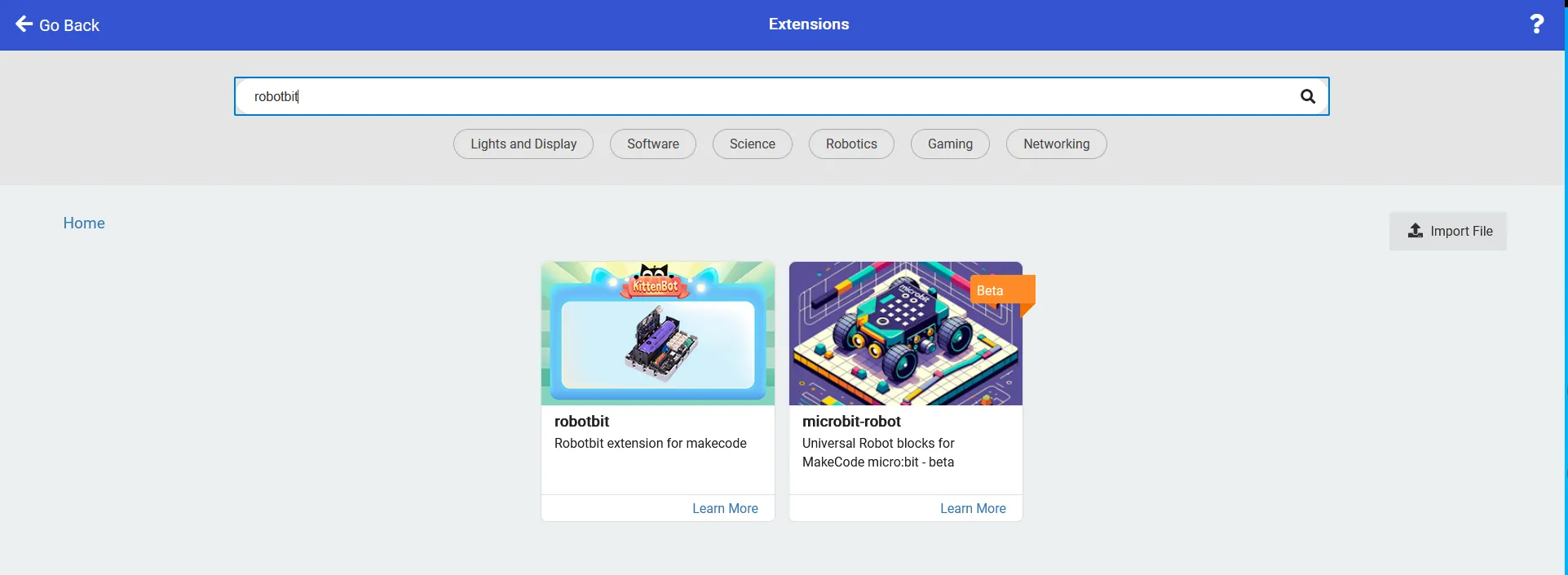
Adding the Kitten Bot extension
The kitten bot extension allows us to communicate with the servo pins attached to the robot:bit expansion board.
For more information about the extension click the link below: https://makecode.microbit.org/pkg/kittenbot/pxt-robotbit
Adding the extension: In the extensions tab, search & select the robot:bit extension by kittenbot.
Rotating the servo:
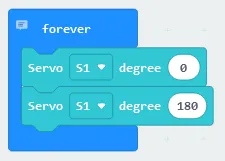
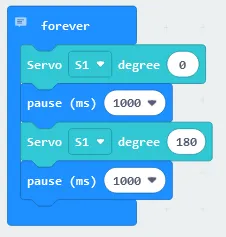
We can continuously rotate the servo using the Kitten Bot extension to send signals to pin 0. The code for this section will go inside the ‘forever’ block.
- Rotating the servo 0 degrees: In the Robotbit tab, select “Servo (servo number) degree (number)”, select S1 for the servo number & set the degree to 0
- Rotating the servo 180 degrees: Select “Servo (servo number) degree (number)” , choose S1 for the servo number & set the degree to 180
Pausing the code:
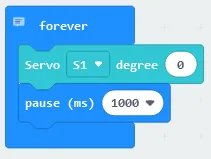
In order for the servo to have enough time to receive the signal & move, the code must be paused before the next command is sent. The code for this section will go inside the ‘forever’ block.
- Pausing the code: Select “pause (ms)” in the Basic tab & set it to 1000 ms (1 second)
- Create 2 pause blocks and place them between the servo rotation blocks so that the code alternates between rotation & pause blocks
Flashing the code onto the Micro:Bit:
- Make sure the micro:bit is connected to the computer via USB cable
- On the bottom left corner, click the “Download” button and follow the prompts
Servo Output:
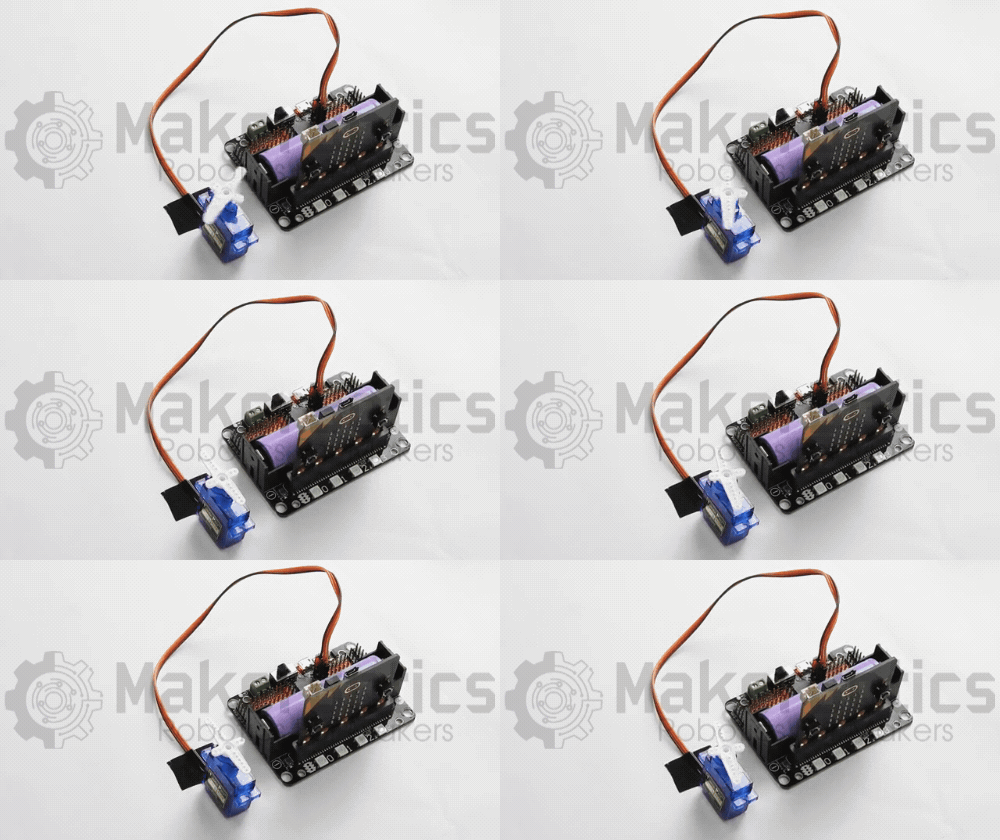
The servo continuously rotates 180 degrees, pausing for 1 second in between rotations. Please note that the example below uses an 18650 lithium battery to power the Robot:bit shield.
Block Code:
Entire block code for the tutorial
Python Code:
Entire python code for the tutorial
Downloadable Content:
Please find this tutorial's python & hex file for microsoft makecode on our GitHub.
Credits:
- The Microsoft Makecode Community
- The micro:bit Community
- The STEM Community